
Email at full speed. Yours, completely.
A desktop mail client that feels native and opens instantly. Every byte of your data stays on your machine. Zero ads, zero trackers, zero strings.
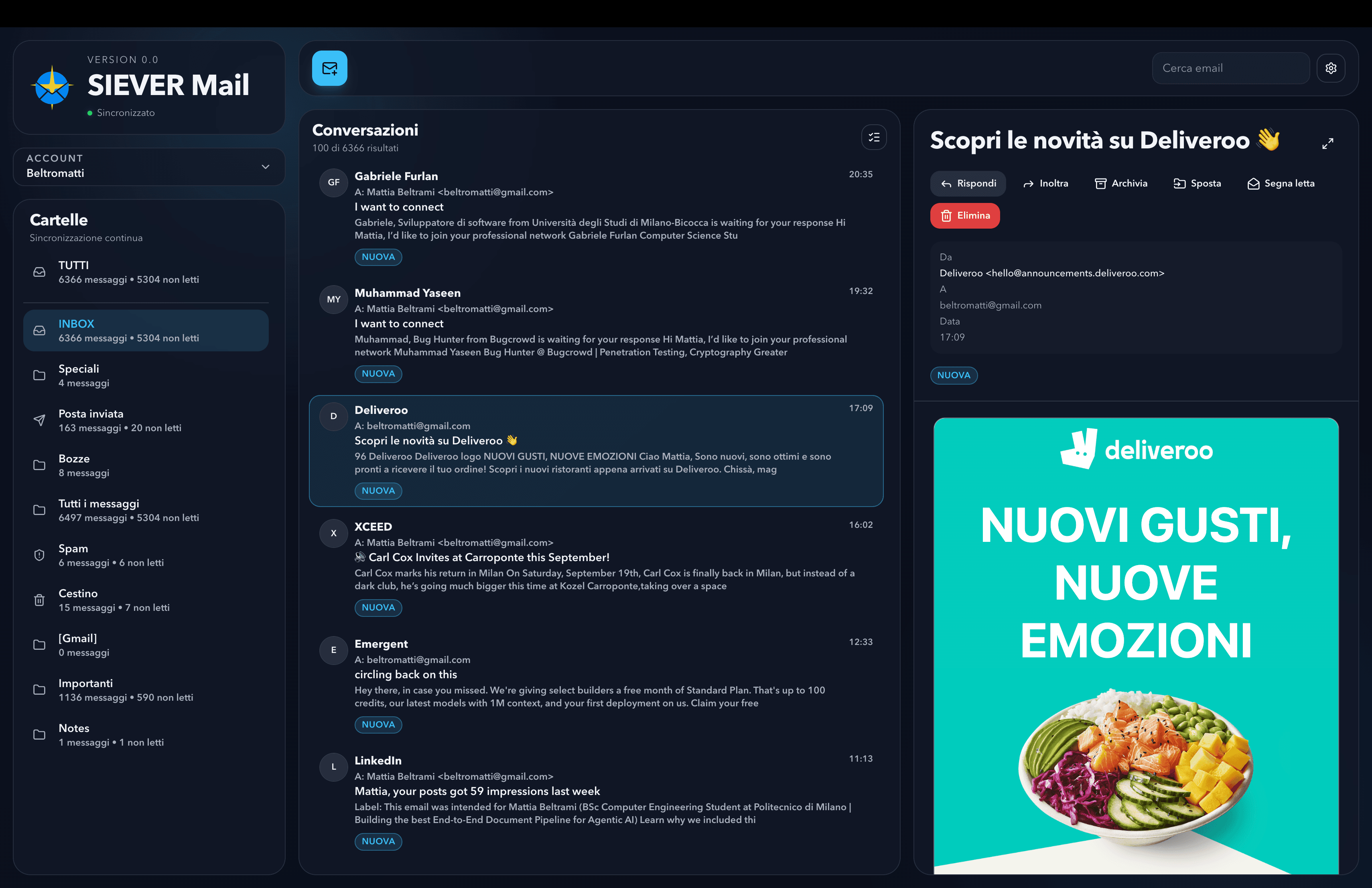
01 · why it exists
The mailbox is your work surface. It should be quiet, fast, and yours.
Most desktop mail clients today are a browser tab in disguise. They ship trackers you did not ask for, ads on the chrome of your own screen, and a feature roadmap aimed at the vendor. Selecting one message turns a quiet workstation into a fan-noise demo.
SIEVER Mail rebuilds a classic mail client from scratch on a modern stack. One screen. One mental model. Multi-account IMAP and Gmail OAuth side by side. Real keyboard shortcuts. Background sync that does not poll. Credentials encrypted through the OS keychain. No telemetry, no ads, no surprises.
Built for power users, small teams, and anyone who wants their mail to stop fighting them.
02 · multi-account
IMAP and Gmail OAuth, side by side.
Add as many mail accounts as you need. Generic IMAP/SMTP and Gmail over OAuth live in one sidebar, one folder tree, one unified inbox. Each account keeps its own credentials encrypted in the OS keychain.
The first launch is a 30-second wizard. The rest is the inbox.
- Unified inbox. All accounts merged in one scrollable list, with per-account filters one keystroke away.
- Per-account folders. INBOX, sent, drafts, spam, archive, plus any custom folders the server exposes.
- Native counts. Unread and total counts come straight from the server STATUS, not a local estimate.
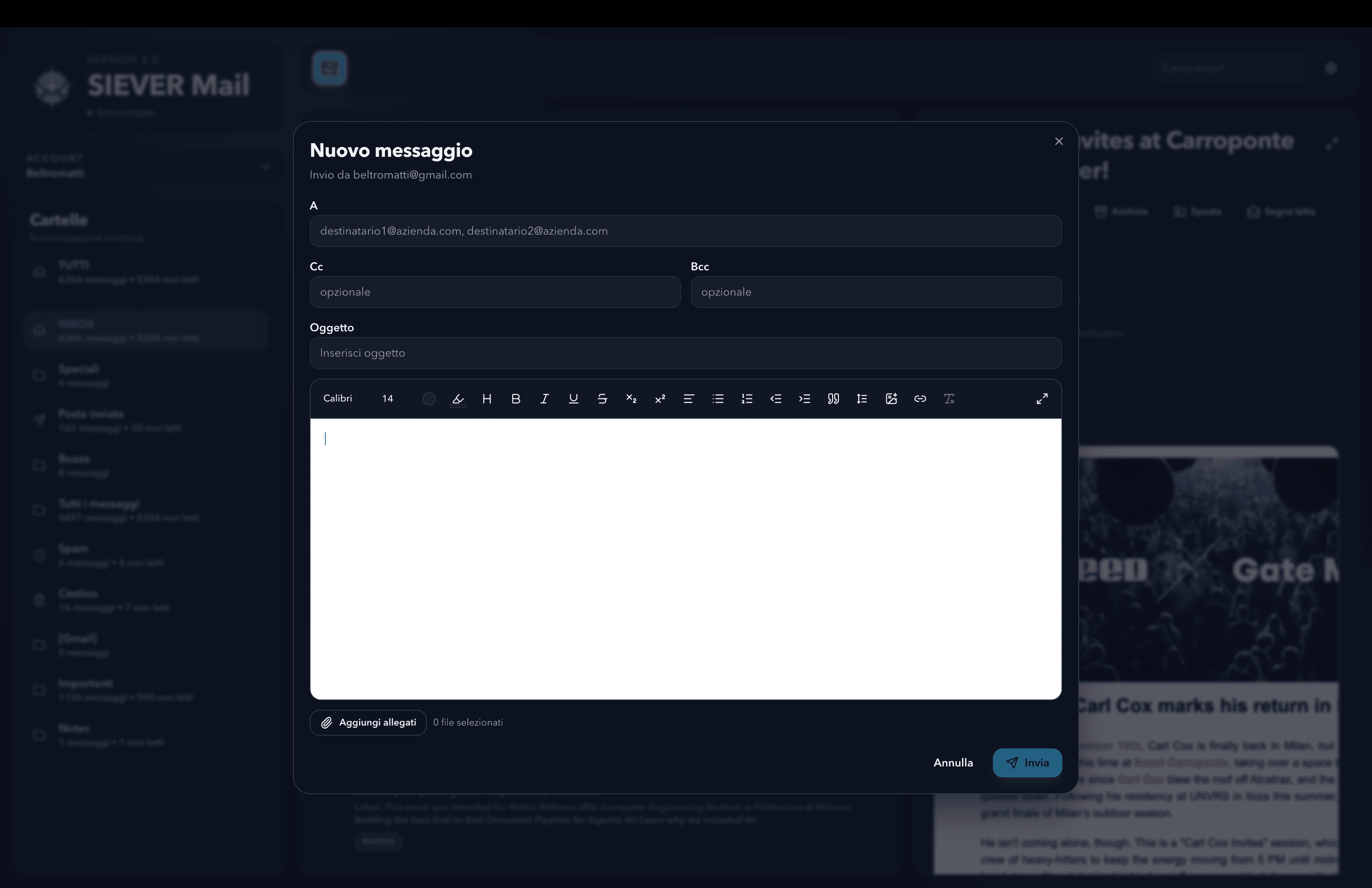
03 · composer
A composer that behaves like a writing tool.
Squire-based rich-text editor running inside a sandboxed iframe. Real line-height, real keyboard shortcuts, paste sanitisation that strips marketing-email CSS before it can leak into your draft.
To, Cc, Bcc, attachments. The format toolbar that you actually use: headings, lists, links, code, alignment, indentation. Nothing else.
- Sandboxed iframe. Pasted HTML cannot break out of the editor or restyle the host UI.
- Signatures per account. Plain-text or rich, applied on every reply and forward, switchable per send.
- Drafts in SQLite. Autosaved locally as you type. Survives a crash, a reboot, a version upgrade.
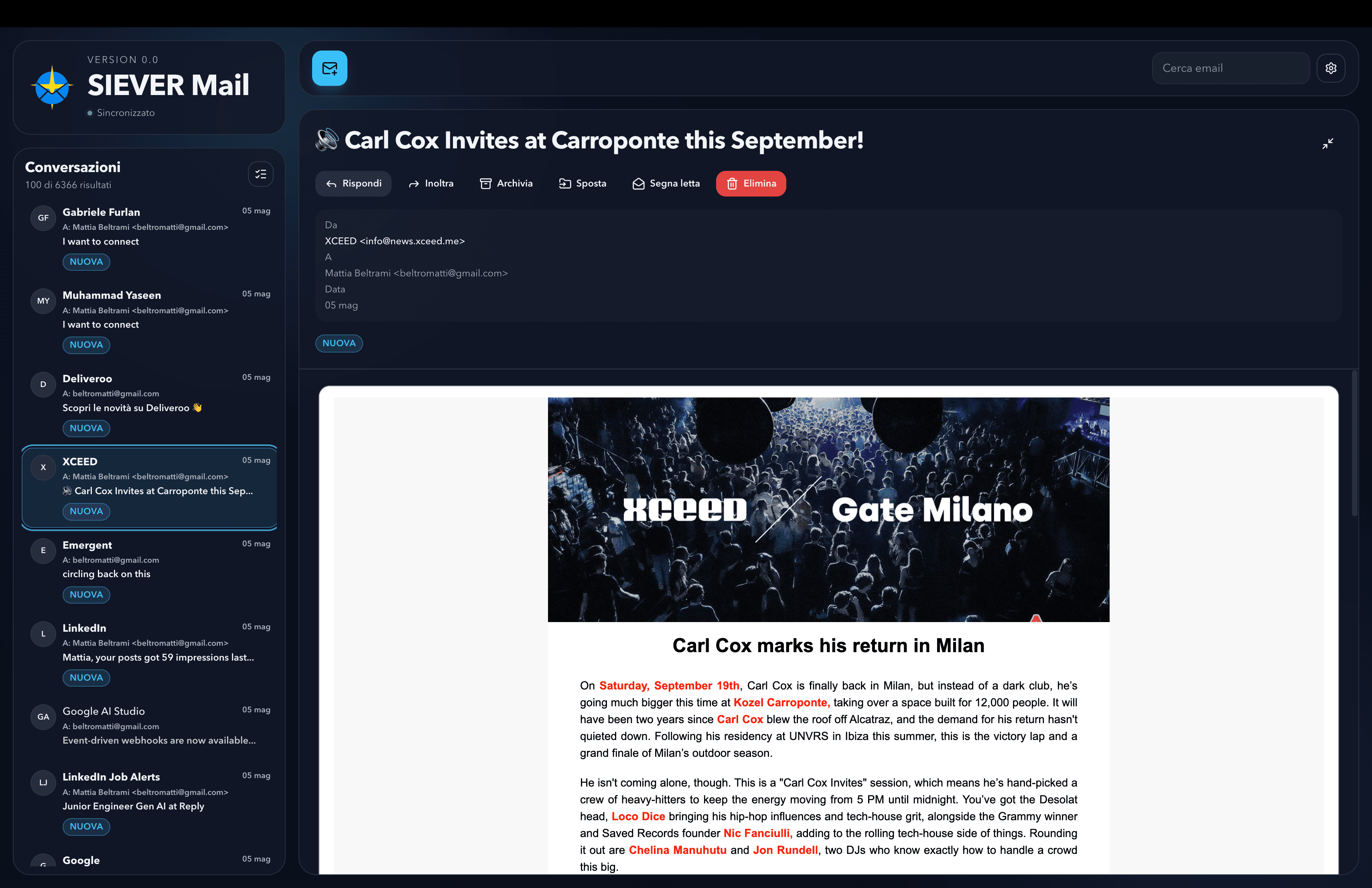
04 · reading pane
One screen. Three columns. Nothing else.
The reading pane is built around the mental model you already have: accounts and folders on the left, conversations in the middle, the open message on the right. Keyboard-first. Resizable. No popovers that steal focus, no banners that hide your data.
Trust handled by a hostile-by-default HTML viewer: external images and trackers are blocked until you opt in for that sender.
- Real keyboard navigation. j/k to move, x to mark, r to reply, c to compose, /' to search. The ones you expect.
- Conversation threading. Replies group by Message-ID and References; original order, no Gmail-style merging.
- Quoted-content collapsing. Long reply chains collapse to a single click, easy to re-expand.
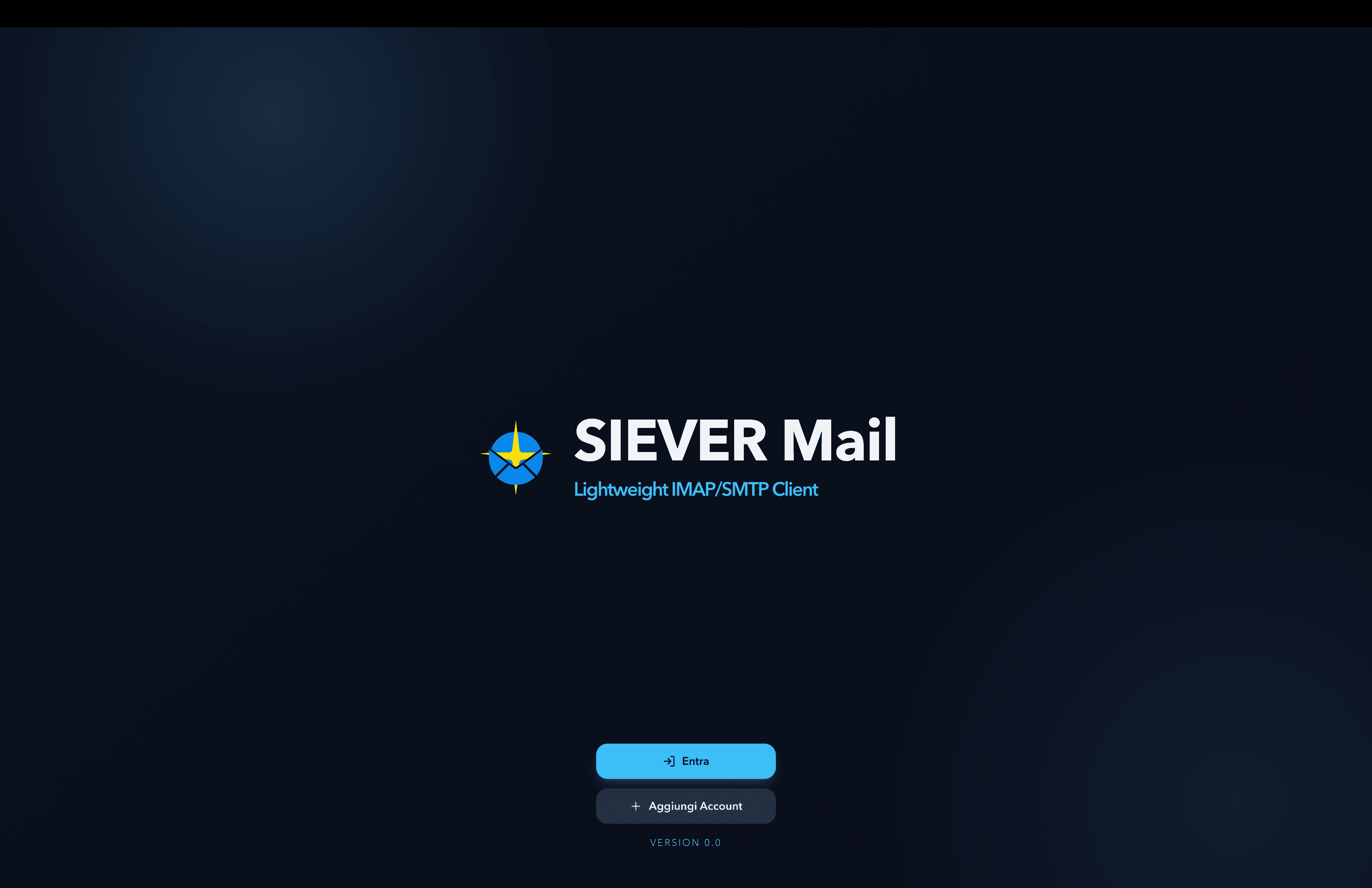
05 · welcome
A 30-second first launch.
No account creation, no remote setup, no waiting room. Open the app, add your first mailbox via Gmail OAuth or plain IMAP/SMTP, and you are reading mail.
Add a second account whenever you want. Switch the active scope with one keystroke. Sign out wipes credentials from the keychain and the local SQLite cleanly.
- Gmail OAuth. Standard Google OAuth flow over your own client ID, no token ever proxied through us.
- Plain IMAP/SMTP. Hostname, port, STARTTLS or implicit TLS, separate send credentials. The legacy server still works.
- Upgrade-safe. A new version wipes stale local state but keeps saved logins, so a launch always starts on a clean schema.
06 · privacy by default
The product has nothing to learn about you.
The whole architecture is local-first. There is no SIEVER backend. There is no upload step. There is no tracker SDK. The only network the app talks to is your own mail server.
No server, no account
Nothing to sign up for on our side. Your accounts, your mailboxes, your data all stay on the machine running the app.
OS-keychain credentials
Passwords and OAuth refresh tokens encrypted via Electron safeStorage, backed by the system keychain on macOS, Windows and Linux.
Local SQLite
Conversations, threads and metadata persist in one SQLite database under your user-data directory. Easy to back up, easy to migrate, never out of your control.
Zero telemetry
No analytics SDK, no usage pings, no remote logging. Apache 2.0 source on GitHub for anyone who wants to verify.
07 · install
Download SIEVER Mail. One installer, no account, nothing to subscribe to.
Cross-platform builds for macOS, Windows and Linux on every release. Apache 2.0 source on GitHub. Your data lives on your disk.
recommended for you
Other installer
Looking up the latest release on GitHub…
The macOS build is ad-hoc signed; the Windows build is not yet notarized. The first launch shows the usual Gatekeeper / SmartScreen warning. Confirm once and the OS remembers it for every subsequent launch.